
FlowData brings general-purpose data APIs together in one product: IP Geolocation, Client Info, Maps, Email Verifier, YouTube and media processing for video, images and audio. You call the APIs from your own software, such as your online shop or website, and FlowData shows you how often they are called and how well that goes. You don't need a FlowSuite plan to use it.
Opening FlowData
The dashboard is at flowdata.one/dashboard. Old links to creativeskyline.de/flowdata/... forward there automatically.
As the owner of your team you always have access. Other team members only see FlowData once you grant it to them. See Sharing FlowData with your team.
The overview
The start page shows you at a glance what is happening in your team:
- Requests today, Requests this month and Requests in total across all areas, plus a short note about your team's prices
- the chart Requests in the last 30 days, split by area
- under Areas, one tile per area with the requests for the month and for today
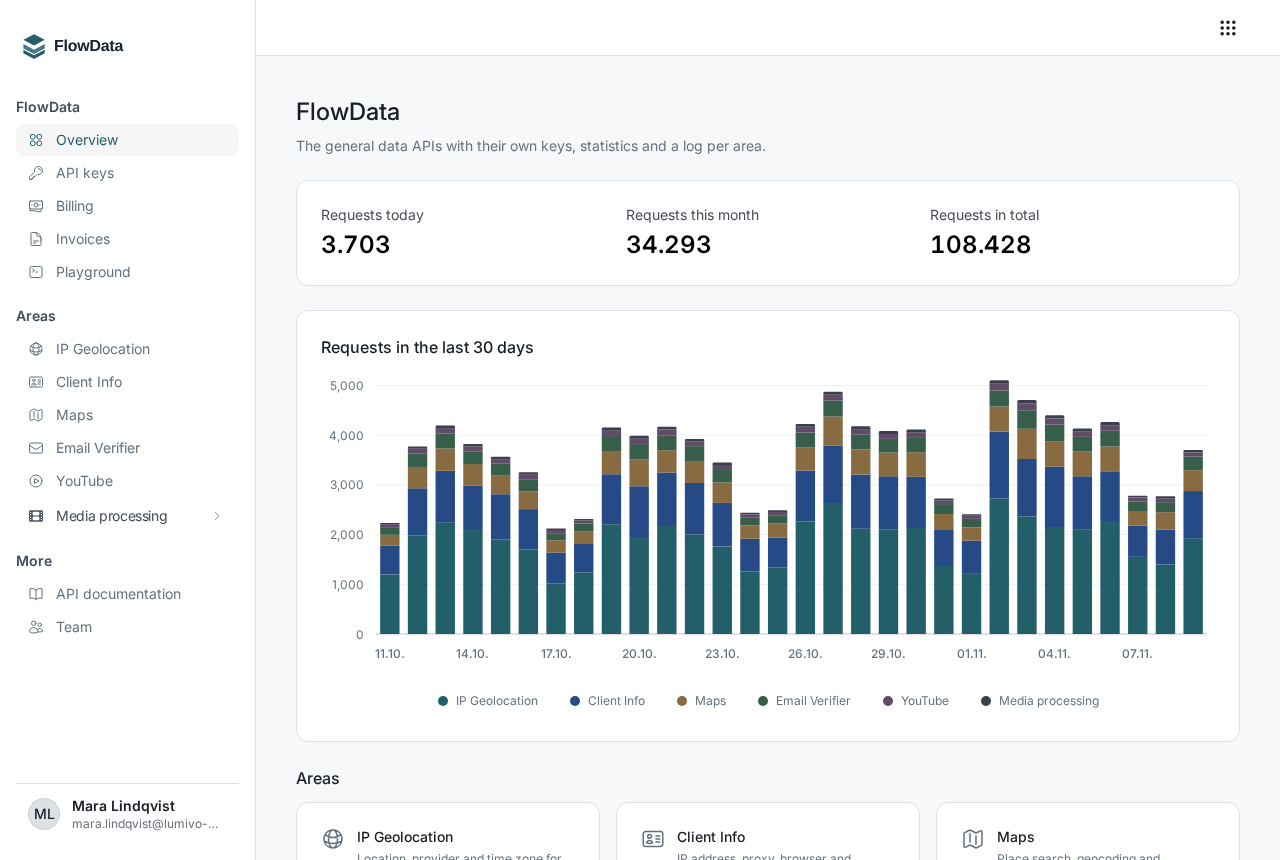
Click a tile to open that area's statistics and log. As long as no requests have come in, the chart shows a sample request and the Create API key button instead.
The sidebar
On the left you'll find three groups:
- FlowData with Overview, API keys, Billing, Invoices and Playground
- Areas with one entry per area. Media processing also expands to Jobs, Presets, Watermarks and Webhooks.
- More with the API documentation and, if you manage the team or FlowData, the Team page
The API documentation opens in a new tab. API documentation and OpenAPI files explains what's in there. In the Playground you can try out requests directly in your browser.
What does FlowData cost?
You pay for what you use, out of your balance. The data areas IP Geolocation, Maps, Email Verifier and YouTube are billed per 1,000 successful requests, and media processing per started output minute or per image. Client Info is free.
You are not charged for failed requests, a Maps search with no results or the email result unknown. Current prices are on the pricing page, and the prices that apply to your team are under Billing. If your team has been using FlowData for a while, your previous terms continue to apply. The note on the Overview tells you if that's the case.
Read more in Understanding prices and Topping up your balance.
Good to know
- FlowData uses its own FlowData keys, which start with
fd_. The steps are in Creating a FlowData API key. - One FlowData key works for all areas, so you don't need a separate key for each API.
- All examples in this help center use the address
https://api.flowdata.one/v1. If you're coming from an older integration, see Switching to api.flowdata.one. - If you see the notice FlowSuite keys on FlowData endpoints on the overview, one of your integrations is still using an older key. It keeps working, but we recommend switching to a FlowData key.
- You can also use FlowData from AI assistants, see Connecting AI agents to FlowData.